Posts

Showing posts with the label If

Find 1st, 2nd, 3rd, 4th, and 5th Largest Invoice Amounts

SMALL & LARGE I used an if statement to produce the invoice amount if the vendor code matches the header of the table. This will create a spill of results because this can occur as little as 0 times or as many times. Now, if I use the LARGE() function on the outside of the if statement, I can restrict it and produce the Nth largest invoice amount. This can be done likewise if I use the SMALL() function. See below.

Creating an Import Template

As a Finance & Accounting Specialist, we pull different reports such as an AP import file. Then we paste them into a raw data tab into a template file so that it is in a suitable format to import into our accounting software. So I decided to create my own import template about Fruits and Vegetables. The if statement is used to change if a cell in the raw tab is blank. I use the xlookup to return the Category and AP code. I include an iferror so that it leaves a blank cell if the food is not recognized from the Legend tab. I also changed the date format on the output tab.

If, And, Or, Not in AP/AR/Billing

IF, NOT, AND, OR To get more practice with the logic behind using the IF function with NOT, AND, OR logic: Below, I wanted to make a file where I showcase how I would use each in a AP/AR/Billing position such as my role as a Finance & Accounting Specialist. In my examples, I use them to see the following: 1) if we are billing over budget 2) if we have any urgent amounts to pay 3) if invoice is okay to pay as long as we billed client and receive client payment 4) if an invoice is due within 30 days.

IF, NOT, OR

IF, NOT, OR If it is either this or that, then mark and x. Either wise, do not mark it as an x. (i.e. Red or Green) If it is neither this or that, then mark an x. Either wise, do not mark it as an x. (i.e. Neither Red or Green) Below, I do a version 1 formula without using a constant array and formulas that uses constant array and produces same result.

IF, AND, OR - Looking for Round Apples

IF, AND, OR More practice with the IF, AND, OR logic formula. I used the IF and OR to identify certain colored apples and mark an x if so. I used the IF & AND to determine if it is a round apple or not.

IF and OR

IF and OR Constant Array See below 2 examples using IF and OR logic together. The first example is returning whether the individual pass or fail if either test is over 50. The second example is returning whether the invoice is okay to pay if the status column is either billed to client or cash receipt entered (client paid). For the second example, I need to use a constant array, a hard-coded set of values provided in an Excel formula for "Billed to Client" and "Cash Receipt Entered." A curly brace is used within the IF formula.  

IF with Multiple Conditions

Multiple Condition IF Below, I made up a scenario where a seller is offering 1 item for $2.00, 2 to 9 items for $1.50 each, and 10 items or more for $1.00 each.  In green is the syntax for the IF statement and a IF AND statement. The idea is that if the first condition is not true, then it will check if the next condition is true. If the second condition is not true, then it will check if the third condition is true. Finally, in the How Many Purchased Column is a Data Validation that only allows for whole numbers from 1 through a 100 to prevent any decimals or nothing purchased scenario. 

If & Operators (Fail, Pass, Perfect)

IF  &  Operators Below is file with example of arithmetic operators and comparison operator. I used the if statement along with comparison operator to determine result of "fail", "pass", or "perfect." I also used a conditional formatting rule to fill a certain color for each result.

IF statements

Image
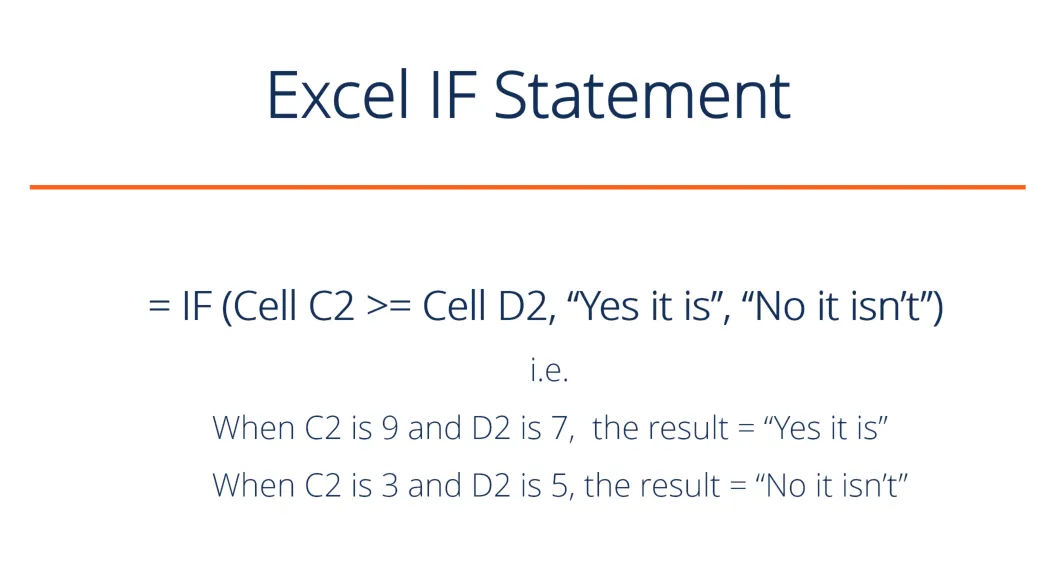
Website:  https://support.microsoft.com/en-us/office/if-function-69aed7c9-4e8a-4755-a9bc-aa8bbff73be2 As a Project Analyst, I used IF statements to check how much credits were generated for a single employee in 2020. The if statements are used to check several things and can produce a result if the condition turns out true or false. When I joined the team, there was already a template that utilized embedded IF statements paired with other functions like vlookup because there were several tabs within one excel file.  Below, I decided to play around with several IF statements and concluded with a SUMIF to calculate the credit generated for a single employee in 2020.  The main idea with my formulas is to find at what quarter does the employee's gross pay goes over 10k. In this case for employee John, it was Q3. Therefore, I calculated 50% of his Q1 and Q2 gross pay to be credit generated. In Q3, he went over. Since I know 5,000 is the maximum generated credit for 2020, then ...