Posts

Showing posts with the label Sumif

Unbilled Media Actual using RIGHT & SUMIF

RIGHT  &  SUMIF As a Finance & Accounting Specialist, I need to report he unbilled media actual or the final numbers after billing is sent out to the client. I use the RIGHT function to return the first 2 letters of the invoice number because that represents the media type. Then, I can use the SUMIF function to return the net, commission, and gross for GENERAL media types, Out of Home (OH) media type, and Digital (DG) media type. Finally, everyone reports their numbers on an excel file to track the company's gross profit.                                  
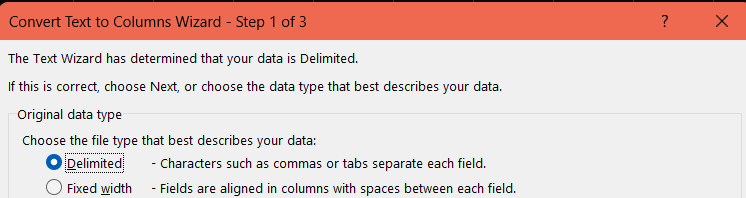
Sumif & Countif & Text to Columns

Image
Website:  https://support.microsoft.com/en-us/office/sumif-function-169b8c99-c05c-4483-a712-1697a653039b SUMIF(range, criteria, [sum_range]) Website:  https://support.microsoft.com/en-us/office/countif-function-e0de10c6-f885-4e71-abb4-1f464816df34 =COUNTIF(Where do you want to look?, What do you want to look for?) As a Finance & Accounting Specialist, I used the sumif to sum up the amount Innocean spent for a specific vendor to help with advertising for our client. I used the countif to sum up the number of transactions there are for a specific vendor on a bank statement for a certain month. This is the very first step that is required for credit card bank reconciliation process to ensure all transactions and costs are accounted for. The treasury provides us with the bank statement in an excel format.  On the bank statement, it will not just say "LINKEDIN" but will contain more verbage within a cell. For example, it may say "LINKEDIN.REFID.12345." Before I use t...